Pass Parameters
This page guides you on how to pass parameters between modules and your Appsmith application.
From App to Modules
To pass parameters from your Appsmith application to modules, follow these instructions:
App to Query Module
You can use the Inputs property to pass real-time data from your Appsmith application to Query modules.
To read the data and update the query, create Inputs from the right-sidebar in the query module. These inputs allow you to pass dynamic data and update the query based on the inputs.
Example: If you want to add limit and offset as inputs, create two inputs:
limit, with a default value of5offset, with a default value of4
If dynamic values are not passed, the default value will be used. Update the query by using inputs property for dynamic updates:
SELECT * FROM public."product" LIMIT {{inputs.limit}} OFFSET {{inputs.offset}};
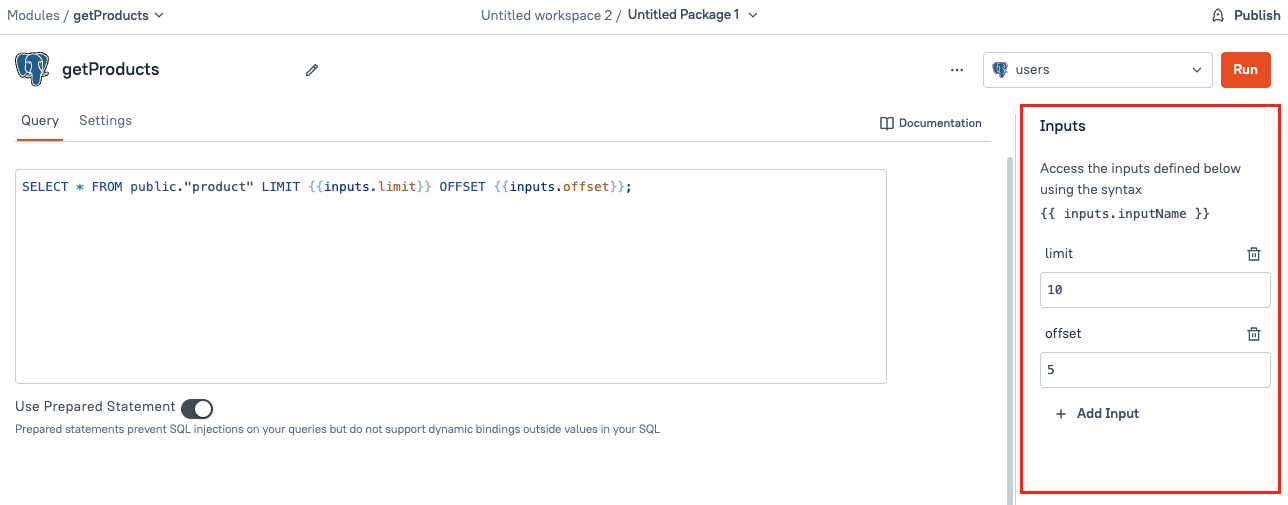
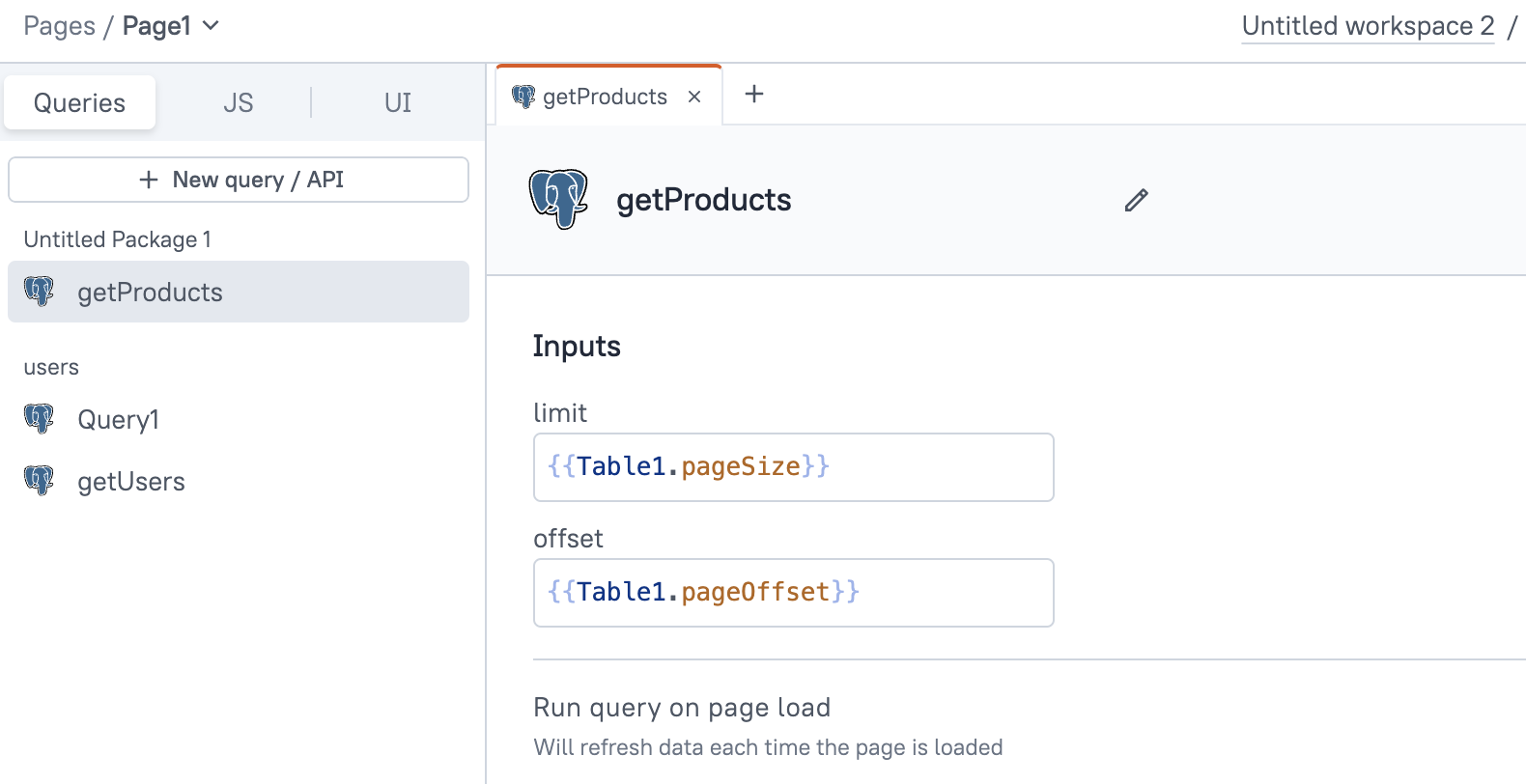
To pass data from the app, add the query module in the App, and in the query editor, update the Input property based on dynamic data.
Example: If you want to pass data from a Table widget, use the following configuration to dynamically set the values:
- Limit:
{{Table1.pageSize}} - Offset:
{{Table1.pageOffset}}
App to JS Module
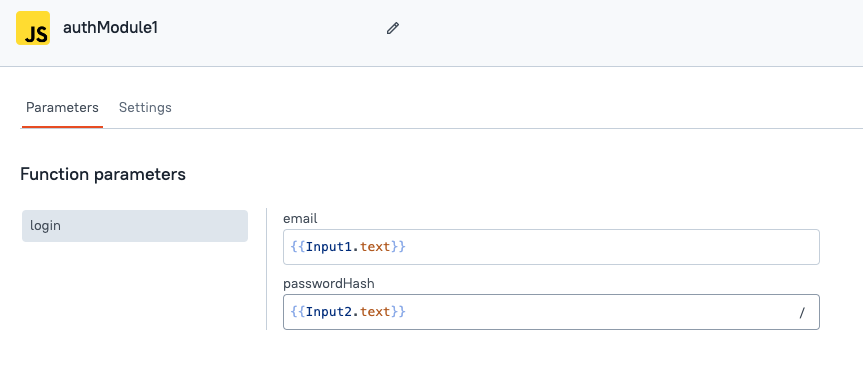
You can use the inputs property to pass data or directly pass data inside a function in the JS module.
To read the parameter, create a function with parameters that can be accessed when the function is called.
Example:
export default {
  myFunction: (param1, param2) => {
    console.log("Parameter 1: ", param1);
    console.log("Parameter 2: ", param2);
    // Perform operations using param1 and param2
  }
}
To pass data from the app to JS modules, you can use either:
- Inputs property in the JS editor
- Directly pass data when the JS module function is called
Example of directly passing data when calling the function:
myFunction({{Table1.selectedRow.id}}, {{Input1.text}});