Rich Text Editor (ALPHA)
Responsive Widgets are in alpha and available by invitation only on Business and Enterprise plans. Behavior and properties may change. To request access, open a support ticket and name the feature Responsive Widgets (ALPHA).
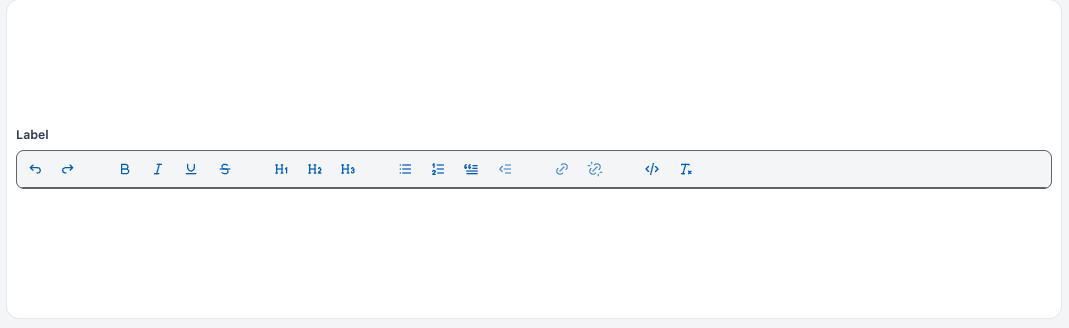
The Rich Text Editor widget lets users write formatted text with headings, lists, quotes, and inline styles such as bold and italic. The widget gives you the content as an HTML string. Use it for notes, descriptions, and messages.
Widget type: WDS_RICH_TEXT_EDITOR_WIDGET
Content properties
These properties appear in the Content tab of the property pane.
Data
Default value string
Sets the starting content of the editor as an HTML string. When this value changes, the editor content resets to it. Default: empty.
Example:
<p>Hello <b>world</b></p>
Label
Text string
Sets the label of the widget. Default: Label.
Validations
Required boolean
Makes content required. When it is on and the editor is empty, isValid is false. Default: off.
General
Tooltip string
Shows help text or details next to the label.
Visible boolean
Controls whether the widget is visible. Default: on.
Disabled boolean
Stops users from editing the content. Default: off. Hidden when Read only is on.
Read only boolean
Lets users select and copy the content, but not edit it. Read only takes priority over Disabled. Default: off.
Animate loading boolean
Controls the loading animation of the widget. Default: on.
Events
This section is hidden when Read only is on.
onTextChange
Sets the action that runs when the content changes. See Events.
Reference properties
Reference properties let you read the widget's state in bindings and code, for example {{RichTextEditor1.isVisible}}. You cannot set them directly.
text string
Holds the content of the editor as an HTML string.
Example:
{{RichTextEditor1.text}}
value string
Holds the same HTML string as text.
Example:
{{RichTextEditor1.value}}
isValid boolean
Shows whether the widget is valid. If Required is on, it is false when the editor has no text. Empty markup, such as <p></p> or <p><br></p>, counts as empty. If Required is off, it is always true.
Example:
{{RichTextEditor1.isValid}}
isDirty boolean
Shows whether the user has changed the content since the widget loaded.
Example:
{{RichTextEditor1.isDirty}}
isVisible boolean
Shows whether the widget is visible.
Example:
{{RichTextEditor1.isVisible}}
isDisabled boolean
Shows whether the widget is disabled.
Example:
{{RichTextEditor1.isDisabled}}
Methods
Methods let you change the widget's properties from code, for example in a JS Object.
There is no method to set the content from code. To change the content, set Default value.
setVisibility (param: boolean): Promise
Shows or hides the widget.
Example:
RichTextEditor1.setVisibility(false)
setDisabled (param: boolean): Promise
Turns editing on or off.
Example:
RichTextEditor1.setDisabled(true)
Events
onTextChange
Runs when the content changes. It runs after the user pauses typing, not on every keystroke. Read the content in {{RichTextEditor1.text}}. It does not run while Read only is on.